Web Accessibility Blog
Updates, tips, and case studies on creating inclusive and accessible user interfaces. Learn about WCAG standards, best practices, and practical insights for your projects.

What Does Web Accessibility Bring to Business?
Web accessibility helps remove barriers that can cause businesses to lose potential customers. We explore how accessibility affects conversion, customer loyalty, operational costs and legal risks.
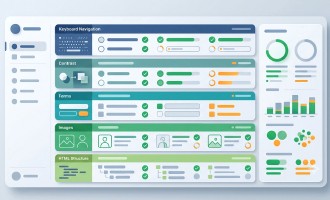
Web Accessibility Checklist for Websites
A practical web accessibility checklist for quickly evaluating a website. Helps verify HTML structure, keyboard navigation, forms, contrast, images, and other key accessibility aspects.

How to Prepare a Website for a Web Accessibility Audit
Proper preparation is key to conducting a high-quality web accessibility audit. This article covers how to identify key user flows, which pages to include in the review checklist, what the team should do in advance, and what actions to avoid. We also provide a practical pre-audit checklist for the team.
What Is Included in a Web Accessibility Audit
When a business decides to make its website accessible, it is often hard to know where to start. We explained what an accessibility audit actually includes: from checking WCAG rules and HTML structure to testing the site with screen readers and keyboards. This is an overview of how we find accessibility problems and how the final report helps the team plan the next steps.

Automated vs Manual Accessibility Testing: What’s the Difference
We explore the difference between automated and manual accessibility testing, their capabilities and limitations, and why combining both approaches is the best solution.

Who Needs a Web Accessibility Audit
Who needs a website accessibility audit and in which cases: for businesses, product teams, CTOs, public sector, and non-profit projects. Practical examples and common scenarios.
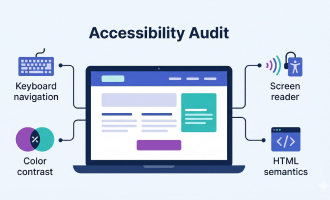
What is a Website Accessibility Audit
A website accessibility audit helps make your site usable for all users, avoid navigation errors, and comply with WCAG standards.
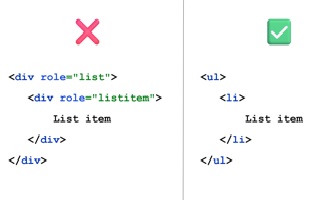
The First Rule of ARIA
A brief explanation of the First Rule of ARIA and why semantic HTML elements should always be used instead of ARIA roles.
Want to improve your website’s accessibility?
Submit a request with a brief description of your project and goals, and we’ll get in touch.
Our services
Accessible UI components
Reusable, accessible UI components built with semantic HTML, keyboard support, and screen reader compatibility.
View componentsAccessibility Services
Practical accessibility audits, consultations, and support for product teams, designers, and developers
Explore our services