Automated vs Manual Accessibility Testing: What’s the Difference
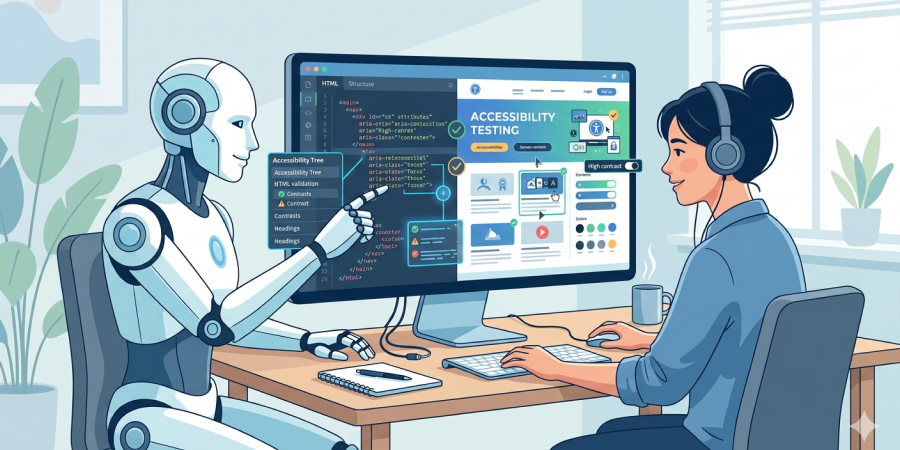
Web accessibility is increasingly discussed in IT companies. This is driven both by changes in the legal landscape and by the growing focus on inclusivity and accessibility across different fields. In the information space, calls for equal rights and opportunities for all people are becoming more frequent.
Most teams are at least generally familiar with web accessibility. Many include accessibility of IT products as a basic requirement. One of the simplest and fastest ways to analyze a web resource for accessibility is to use automated tools. Among the most popular are Axe and Google Lighthouse.
On one hand, web accessibility often seems quite complex. On the other hand, after testing a website with Lighthouse, it may seem that it is not that complicated.
But then a question arises — is everything really that simple, and is such automated testing enough?
In most cases, it is not enough. That is why it is important to distinguish between automated accessibility testing and manual website testing.
Next, we will look at what this difference is and in which cases each type of testing is appropriate.
What Is Automated Accessibility Testing
Automated accessibility testing is the process of checking a website against accessibility criteria using automated tools. These tools analyze the code and page structure and evaluate it against those WCAG (Web Content Accessibility Guidelines) criteria that can be automated.
Most popular tools:
- Axe by deque
- Google Lighthouse
They are usually used in two ways.
Google Lighthouse is built into the Google Chrome browser and is available in developer tools. Therefore, the most common approach is to run accessibility checks directly in the browser using Lighthouse. It generates a report showing issues that need improvement, as well as items that passed the check. It is a well-structured report with clear recommendations.
The second approach is adding automated accessibility testing as a separate step in automated tests. For this, axe-core is commonly used. This way, within a standard CI/CD pipeline, regular accessibility checks are performed. This is useful and convenient because new changes are automatically tested, and the system reports if new accessibility violations appear.
Examples of issues that automated tools can detect:
- missing alt text for images
- insufficient color contrast (not in all cases)
- ARIA-related issues (roles and attributes)
- missing labels in forms
- semantic or structural issues on the page
- missing text alternatives for buttons or icon links
Advantages of automated accessibility testing:
- fast execution
- easy to set up, often without specialized knowledge
- integration with CI/CD pipelines
- regular testing
Automated accessibility testing is a good first step that any team can take, even without deep expertise in accessibility.
Limitations of automated accessibility testing
Automated accessibility testing is somewhat detached from real user experience and does not always cover real interaction scenarios.
It checks WCAG criteria that can be formalized.
In practice, there are often cases where a WCAG requirement is formally met but functionally is not.
For example, images must have alternative text. An automated tool detects the presence of alt text and marks the criterion as passed. However, such descriptions are often uninformative or the same generic text is used for all images as a default value.
Automated tools do not evaluate whether the text is meaningful or correctly describes the specific image.
According to Axe-core developers, automated testing can detect on average about half (around 50–60%) of typical WCAG violations, as described in the axe-core documentation.
Manual accessibility testing is primarily focused on usability. Unlike automated tools, humans understand context and can evaluate the real user experience.
Examples of issues that automated tools cannot fully detect:
- keyboard navigation usability
- logical focus order when navigating with the Tab key
- clarity of the interface for screen reader users
- logical page structure from a user perspective
- correctness of element announcements
- clarity and correctness of button and link texts
- form states and error messaging logic
- correct behavior of modals and menus
- color contrast across different states (hover, focus)
Even if automated tools detect no major issues, the website can still remain non-functional or inaccessible to a human user.
What Is Manual Accessibility Testing
During manual accessibility testing, the main focus is on usability. Different user needs are taken into account. For example, for users with motor impairments, it is essential that the site is fully operable via keyboard, since they may not use a mouse or touchpad. The site is also tested with a screen reader to ensure that users with visual impairments can understand the structure and complete all necessary actions.
To evaluate real interaction scenarios, contextual interpretation is usually required.
Manual accessibility testing typically includes:
- keyboard-only navigation (without a mouse)
- checking focus visibility and order
- testing forms for clarity, autofill, and error handling
- reviewing instructions and error messages
- testing using screen readers
- analyzing page structure and semantics in real usage context
- checking component states (hover, click, etc.)
- testing complex components (modals, multi-step forms, dropdowns)
One of the key aspects a human tester evaluates is whether a user can complete an intended action on the site (make a purchase, submit a contact form, apply for a job).
Comparison of Automated and Manual Accessibility Testing
Each type of accessibility testing has its strengths and limitations. The best approach is for them to complement each other, rather than forcing a choice between one or the other.
A comprehensive accessibility audit of a website includes both manual testing and automated tools.
Advantages of automated accessibility testing:
- fast execution
- easy implementation (often no specialized training required)
- automated checks in CI/CD
- regular testing
- reduces the risk of oversight caused by the human factor
Advantages of manual accessibility testing:
- deep interaction analysis through contextual understanding
- ability to detect subtle UX issues
- testing with assistive technologies (e.g., screen readers)
Manual testing requires more resources. It is rare for teams to perform full manual accessibility audits every week or sprint due to time constraints. While proper manual testing requires knowledge and experience, basic checks can still be performed by the team without deep expertise.
The optimal approach is a combination of automated and manual accessibility testing
These two approaches do not compete with each other but rather complement one another.
Accessibility audits combine manual testing with automated tools.
Development teams are encouraged to implement regular automated accessibility testing. This can be done either as a separate step using Lighthouse or as part of automated test execution. This helps prevent the release of common accessibility issues.
Full manual accessibility testing can be performed less frequently, ideally before launching a new product and after significant design or functionality changes.
If your website has never been audited for accessibility, a comprehensive audit can provide a complete picture of its accessibility status.
Read more about who needs an accessibility audit in our article.
Some checks can be performed by the team independently, while a comprehensive audit helps identify deeper issues.
Want to improve your website’s accessibility?
Submit a request with a brief description of your project and goals, and we’ll get in touch.
Our services
Accessible UI components
Reusable, accessible UI components built with semantic HTML, keyboard support, and screen reader compatibility.
View componentsAccessibility Services
Practical accessibility audits, consultations, and support for product teams, designers, and developers
Explore our services