What is a Website Accessibility Audit
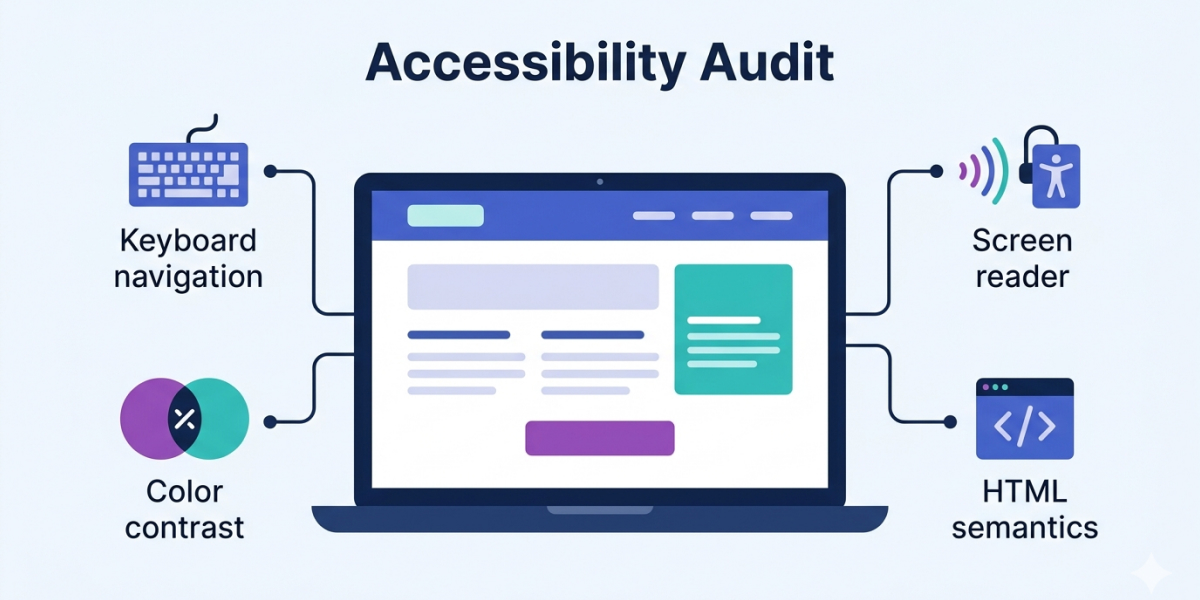
When creating a website, most attention is often focused on design, functionality, content, and SEO. Accessibility is either postponed or completely overlooked. As a result, many websites violate accessibility standards.
This often directly affects the number of users and, consequently, the company's revenue. If a site is not accessible, some users simply cannot use it. Problems may also occur at certain stages of completing an order, preventing users from finishing an action. Accessibility violations can have legal risks, especially for businesses operating in the EU and the US. Ignoring accessibility issues can lead to reputational and financial losses.
What is Website Accessibility
Website accessibility means that the site is convenient for everyone, for example:
- people who do not use a mouse;
- screen reader users;
- people with visual impairments;
- people using the site under bright sunlight.
There is a stereotype that accessibility is only for people with disabilities or visual impairments. In reality, accessibility standards make the website much more user-friendly for all users.
Accessibility standards are developed by the World Wide Web Consortium (W3C) and are called Web Content Accessibility Guidelines (WCAG).
What is an Accessibility Audit
A website accessibility audit is a systematic review of a site (or specific pages) to check compliance with WCAG standards.
An accessibility audit includes automated testing tools (such as Google Lighthouse), manual testing, keyboard-only navigation, and screen reader testing.
During the audit, each criterion of the selected WCAG level (A/AA/AAA) is checked on specified pages. The result is a report with a Pass/Fail status for each item, along with a description of issues and recommendations for fixing them.
The purpose of the audit is to identify accessibility problems and receive guidance on how to address them.
What is Checked During an Audit
Accessibility testing should be comprehensive and include automated and manual testing, as well as screen reader use.
Key aspects checked during an audit:
- semantics and HTML structure
- keyboard accessibility
- element focus (visibility and logical order)
- color contrast
- form accessibility (clarity, hints, error messages)
- screen reader usage
- navigation convenience
- and more
Accessibility issues can be technical or content-related. For example, improper heading structure makes navigation with a screen reader difficult. Icon buttons without labels also create challenges for users with visual impairments. Forms without proper instructions or unclear error messages may cause users to leave the site.
How an Audit Differs from Automated Testing
One of the most common tools for automated accessibility testing is Google Lighthouse. It's a useful tool for identifying some issues.
However, not all accessibility criteria can be checked with automated tools. Lighthouse itself emphasizes this in its reports. Automated testing is just one stage of an accessibility audit and cannot replace a full audit with manual testing.
Many aspects can only be checked manually. For example, keyboard navigation, focus order, clarity of texts, hints, error messages, and correct use of ARIA (for example, whether the First Rule of ARIA is followed).
Audit Results
During the accessibility audit, a report is created that lists all checked criteria with Pass/Fail marks. It includes explanations of elements that violate accessibility requirements, descriptions of the issues, and clear recommendations for fixing them. A severity level is assigned to each identified problem.
This report helps plan accessibility improvements. Making a site fully accessible can seem overwhelming, but a structured report helps address the issues step by step. Severity levels help prioritize fixes, and recommendations make it easier to create tasks in the backlog and implement changes. The report can serve as a roadmap for improving accessibility.
When to Conduct an Audit
It's best to consider website accessibility at the start of creating and designing a new site, which requires minimal resources. Accessibility is sometimes postponed due to time constraints, but it doesn't actually take much time. The main time investment is learning the accessibility criteria. When designers, copywriters, product managers, and developers have this knowledge, creating accessible interfaces becomes almost intuitive, and design, text, and code will be accessible by default.
Currently, this trend is not widespread. Accessibility audits are often delayed or not planned at all. Therefore, conducting an accessibility audit is always relevant.
Overall, website accessibility is improving, but many sites remain partially or fully inaccessible. Accessibility audits help identify problems and fix them.
If you want to check the accessibility of your website, we are happy to help.
Want to improve your website’s accessibility?
Submit a request with a brief description of your project and goals, and we’ll get in touch.
Our services
Accessible UI components
Reusable, accessible UI components built with semantic HTML, keyboard support, and screen reader compatibility.
View componentsAccessibility Services
Practical accessibility audits, consultations, and support for product teams, designers, and developers
Explore our services