Web Accessibility Checklist for Websites
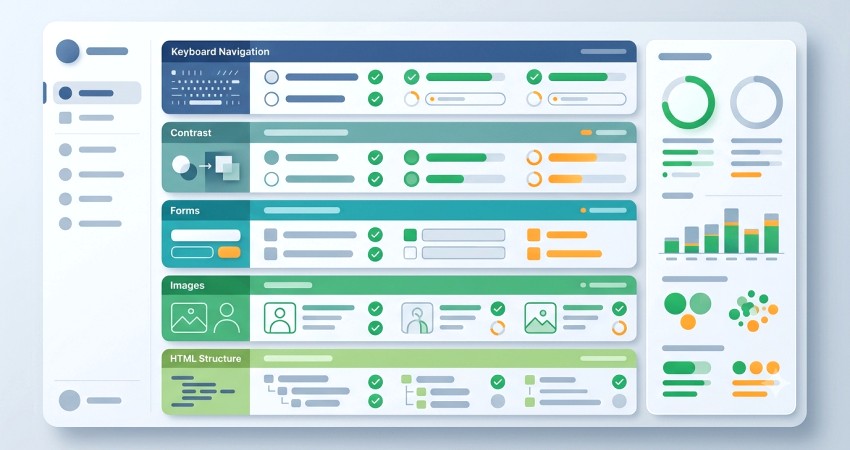
Most websites have accessibility issues. Even websites with a high level of accessibility usually have room for improvement.
At the same time, not all companies are ready to order a comprehensive web accessibility audit.
If your website has not undergone an accessibility audit yet and you would like to perform an initial evaluation yourself, this checklist will help you conduct a basic accessibility review and identify the most common issues.
This web accessibility checklist will be useful for:
- Website owners
- CEOs, CTOs, and managers
- Product teams
- Developers
- QA engineers
- Designers
- Anyone interested in web accessibility or looking to perform a basic accessibility evaluation
Read more about Who Needs a Web Accessibility Audit in our blog article.
The checklist includes reviewing:
- HTML page structure
- Keyboard accessibility
- Forms, instructions, and error messages
- Color contrast and text readability
- Images and other media elements
- Interactive elements
We will examine each of these points in more detail below.
This checklist is not a substitute for a full accessibility audit. It will help you understand what to pay attention to when you do not know where to start.
We will be happy to conduct a comprehensive web accessibility audit of your website.
To request an audit, please fill out the form.
Now let's look at each stage of a basic website accessibility evaluation in more detail.
Page Structure (HTML and Semantics)
A proper HTML document structure is extremely important for web accessibility. It helps screen reader users quickly navigate the page and find the information they need.
What should be checked:
- The lang attribute in the <html> element and its value
- A valid and unique <title> for the page
- A clear first-level heading (<h1>) describing the page
- Whether the heading hierarchy (<h2>-<h6>) follows a logical structure
- Semantic elements, including structural elements (<header>, <nav>, <main>, <footer>) and interactive elements (<button>, <a>)
For example, if the language attribute is missing, screen reader users may experience difficulties understanding the content. If the page lacks a title or h1, or if they are not unique, it becomes harder to understand which page is currently open. Missing or incorrectly used semantic elements make navigation more difficult and may also affect SEO and how search engines understand the page.
Therefore, a proper page structure is one of the pillars of web accessibility.
Keyboard Accessibility
Testing a website using only a keyboard is an essential part of accessibility testing. WCAG Success Criterion 2.1.1 requires websites to be operable without a mouse. At the same time, using a mouse, touchpad, or other input devices is not prohibited.
Keyboard users may include people with hand injuries, people with their hands occupied, individuals with motor or visual impairments, and those who do not currently have a mouse available.
What should be checked:
- Whether user scenarios can be completed using only the keyboard (Tab key and others)
- Whether the focus indicator is clearly visible on every focused element
- Whether the tab order is logical and navigation between elements is consistent
- Whether there are no keyboard traps and it is always possible to move to the next element
- Whether modal dialogs can be closed and operated using the keyboard
Keyboard shortcuts that are useful when testing a website with a keyboard:
- Tab — move to the next element (link, button, field)
- Shift + Tab — move to the previous interactive element
- Enter — activate a link or press a button
- Space — activate a checkbox or radio button
Forms and Messages
Forms are often key elements in a user flow. Form accessibility is important for businesses because users frequently interact with products through forms: registering, submitting contact information, placing orders, or sending requests. Therefore, checking form accessibility is an essential part of a web accessibility audit.
What should be checked:
- Visible labels rather than placeholders only
- Clear and accurate field labels
- A visible focus indicator on active fields
- Error messages in forms
- Complete and understandable error descriptions
- Clear instructions for fixing errors
- Button names and how they are announced by screen readers
Given the importance of forms for business goals, their accessibility deserves special attention.
Contrast and Readability
Checking visual accessibility is one of the stages of a web accessibility audit. A common issue is insufficient contrast between text and background colors. For example, light gray text on a white background or dark text on a dark background is frequently encountered.
For people with visual impairments or users viewing a screen in bright lighting conditions, such text may be difficult or impossible to read. As a result, users may miss important information on the website. That is why checking contrast ratios is very important. Besides contrast, this area of testing includes other aspects as well.
What should be checked:
- Whether text and background colors have sufficient contrast (minimum 4.5:1 for normal text)
- Whether the text size is sufficient and the font is readable
- Visibility and contrast of focus outlines on focused elements
- Whether color is not the only means of conveying information
- Whether users can zoom the page or text without losing information or functionality
Images and Media
One of the best-known accessibility rules is that images should have an alt attribute in the <img> tag. In addition, alternative text should provide an appropriate description within its context. Decorative images should have an empty alt attribute. As for other media elements, videos with audio should include captions, and audio content should have a text transcript.
What should be checked:
- Alternative descriptions for meaningful images
- Correct alt attribute values in <img>
- Empty alt="" attributes for decorative images
- Captions for videos with audio
- Text transcripts for audio content
Interactive Elements
Interactive elements should be accessible to all website visitors. These include buttons, links, form fields, dropdowns, menus, and similar controls.
What should be checked:
- Whether buttons are implemented using semantic elements (for example, <button> instead of <div>)
- Whether links use the <a> tag and contain an href attribute
- Whether menus, dropdowns, and modal dialogs work with the keyboard
- Whether buttons have clear, descriptive text and are announced correctly by screen readers
- Whether icon-only buttons and other elements without visible text have accessible names (for example, aria-label)
Using this checklist, you can test the most important aspects of accessibility. Although these checks are not a replacement for a full audit, they can help you quickly understand the current state of your product.
For a more comprehensive assessment, it is worth conducting a full web accessibility audit. Contact us — we will help you perform a complete accessibility review of your website.
You may also find this article from our blog useful How to Prepare a Website for a Web Accessibility Audit.
Want to improve your website’s accessibility?
Submit a request with a brief description of your project and goals, and we’ll get in touch.
Our services
Accessible UI components
Reusable, accessible UI components built with semantic HTML, keyboard support, and screen reader compatibility.
View componentsAccessibility Services
Practical accessibility audits, consultations, and support for product teams, designers, and developers
Explore our services